
Infrared lens filters, compared.
The short answer
Every filter below is one I have shot on my own full-spectrum Nikon Z7II or on bodies converted to that exact wavelength. The filters work on any full-spectrum camera; on an unconverted camera they only produce long, noisy exposures, because the camera’s internal hot mirror blocks nearly all infrared.
The filters side by side
| Filter | The look | Exposure cost | Best for |
|---|---|---|---|
| 590nm (Goldie) | Gold and peach foliage over teal skies; the warmest false color. | About 1–2 stops | Portraits with foliage, autumn color, editorial work. |
| 665nm (Extra color) | White foliage with pink accents over blue skies; the balanced all-rounder. | About 1–2 stops | Everyday landscape and travel false color. |
| 720nm (Standard IR) | Bright white foliage and near-black skies; a hint of color remains. | About 2–3 stops | The classic infrared look and easy black-and-white conversions. |
| 850nm (Deep IR) | No color at all — pure high-contrast monochrome straight out of camera. | About 3–4 stops | Dramatic fine-art black and white, long-exposure water. |
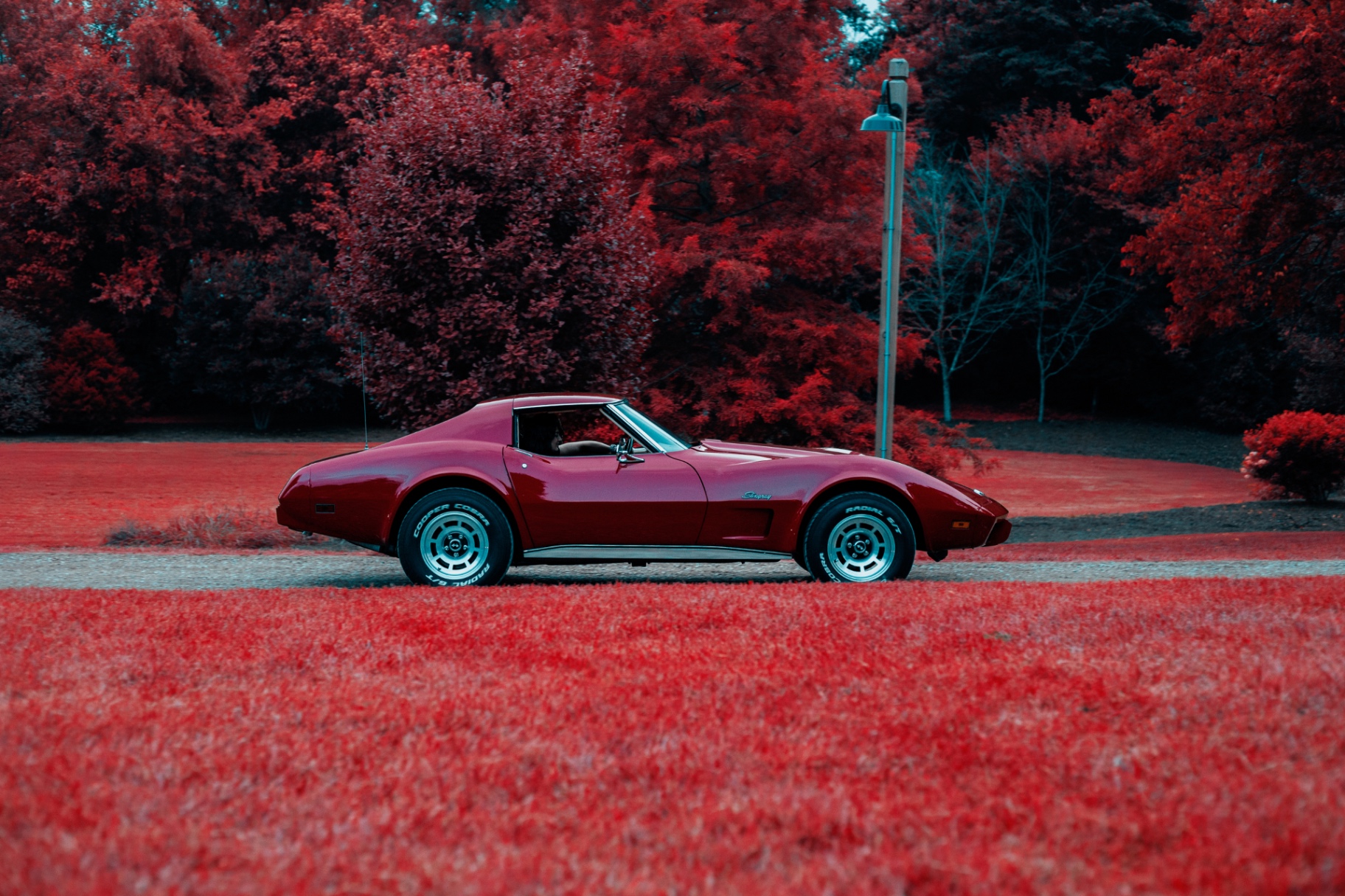
| IRChrome Lite | Red and rust-orange foliage over cyan skies — the Aerochrome film look with no channel swap. | About 2 stops | The Aerochrome look on a full-spectrum body with zero post-processing. |
590nm (Goldie)
- The look
- Gold and peach foliage over teal skies; the warmest false color.
- Exposure cost
- About 1–2 stops
- Best for
- Portraits with foliage, autumn color, editorial work.
665nm (Extra color)
- The look
- White foliage with pink accents over blue skies; the balanced all-rounder.
- Exposure cost
- About 1–2 stops
- Best for
- Everyday landscape and travel false color.
720nm (Standard IR)
- The look
- Bright white foliage and near-black skies; a hint of color remains.
- Exposure cost
- About 2–3 stops
- Best for
- The classic infrared look and easy black-and-white conversions.
850nm (Deep IR)
- The look
- No color at all — pure high-contrast monochrome straight out of camera.
- Exposure cost
- About 3–4 stops
- Best for
- Dramatic fine-art black and white, long-exposure water.
IRChrome Lite
- The look
- Red and rust-orange foliage over cyan skies — the Aerochrome film look with no channel swap.
- Exposure cost
- About 2 stops
- Best for
- The Aerochrome look on a full-spectrum body with zero post-processing.
Exposure costs are approximate and assume a full-spectrum camera in daylight; always meter off the camera, not a handheld meter.
Screw-on filters vs clip-in filters
Screw-on lens filters thread onto the front of the lens like any other photographic filter. They work on every camera system, but each lens thread size needs its own filter or a step-up ring, and wide lenses can vignette through a thick filter ring.
Clip-in filters sit inside the mirrorless camera body, in front of the sensor. One filter covers every lens you own, adds no vignetting, and keeps the front of the lens free — my preference on the Z7II. The trade-off is that they only exist for specific mirrorless mounts, and swapping one means working inside the camera, carefully.
Which infrared filter to buy first
- Start with 720nm if your priority is the classic infrared look and black-and-white photography. It is the standard for a reason: exposures are short, the look is unmistakable, and files convert to black and white with almost no effort.
- Choose 665nm if your priority is experimenting with false color. If the channel-swap workflow appeals, a 665nm filter is the friendlier purchase, and 590nm takes the warm end of that palette further still.
- Add IRChrome for the Aerochrome look. If red foliage is what drew you to infrared, skip straight to it — it needs no post-processing at all. More in the IRChrome field notes.
- Watch for hotspots. Any filter is only as good as the lens behind it — run the ten-minute hotspot test before a trip.
Neither is the universal best choice — the right starting point depends on the images you want to make.
Next step
Where I buy infrared filters
Links to Kolari Vision are affiliate links: if you buy through them the site earns a commission at no extra cost to you. They are the shop my own conversions and filters came from, and the recommendation would be the same without the program — full disclosure.
Common questions
Do infrared lens filters work on a normal, unconverted camera?
What is the difference between a 720nm filter and an R72 filter?
Can I stack infrared filters?
Do clip-in filters affect autofocus?
Related guides
Full-spectrum camera conversion explained
The conversion these filters are designed for.
590nm vs 665nm vs 720nm vs 850nm
The wavelength decision in depth.
Infrared lens hotspots
Why some lenses ruin any filter, and how to test yours.
Infrared camera conversion guide
Fixed-wavelength vs full spectrum, DSLR vs mirrorless.